You read the lesson on embryologic origin of dental tissues. You followed the whole story — ectoderm thickens into the dental lamina, buds into the mesenchyme, folds into a cap. The enamel organ forms from ectoderm. The dental papilla forms from ectomesenchyme. Enamel comes from one, dentin and pulp come from the other. It all made sense while you were reading it.
Two weeks later, a quiz shows you a histology slide and asks which embryonic tissue gives rise to the dental papilla. Ectoderm or ectomesenchyme? You read this. You traced the whole diagram. But now there are four options, 90 seconds on the clock, and the answer won't come.
That gap — between understanding something while reading and retrieving it under pressure with four distractors — is where most candidates lose points. Not because they didn't study. Because they studied in a way that builds recognition ("I've seen this before") instead of recall ("here's the answer and here's why").
Study notes bridge that gap. A mnemonic compresses the stages of odontogenesis into a pattern your brain can hold. A comparison table forces you to articulate what comes from ectoderm vs ectomesenchyme instead of vaguely recognising both terms. A clinical summary frames developmental anomalies the way your exam will frame them — as a patient case, not a textbook paragraph.
The problem is that building these by hand takes forever. A good comparison table for ectoderm-derived vs ectomesenchyme-derived structures — with the tissue origin, stage of development, clinical outcome, and what happens when it goes wrong — takes 20 minutes to research and format. Multiply that across 15 subjects and hundreds of concepts, and you've spent your prep time making notes instead of studying from them.
Why ChatGPT Is Not the Answer
Here's where most candidates go wrong. They open ChatGPT, paste in a question about ameloblastoma vs odontogenic keratocyst, and study from whatever comes back.
The problem isn't ChatGPT's intelligence. It's what it's working with.
ChatGPT is a general-purpose AI trained on the open internet. When you ask it a dental question, it pulls from whatever it indexed — textbooks mixed with Reddit threads, Wikipedia summaries, blog posts of varying quality, outdated clinical guidelines, and forum answers from people who may or may not have passed their own exams. It has no way to tell you which source informed its answer. It has no way to know whether the information is current, whether it matches your exam's scope, or whether the terminology it's using is what the AFK, INBDE, or ADAT actually tests.
For general questions — "what is ameloblastoma?" — this works fine. For exam prep, where a single wrong detail in a mnemonic or a subtly incorrect mechanism can cost you points, it's a risk you don't need to take.
The QuizO AI Tutor was built for exactly this problem.
It searches verified textbooks, not the internet. Every response draws from over 20 dental textbooks — the same sources your exam is written from. When it explains the embryologic origin of dental tissues, it's pulling from the same histology and embryology textbooks your exam is written from — not a Reddit thread or a blog post someone wrote after skimming Wikipedia.
It knows your exam. Ask ChatGPT to "create a mnemonic for the AFK" and it'll try, but it doesn't actually know what the AFK tests, how it weights subjects, or which concepts show up most frequently. The QuizO AI Tutor does. It tailors every response — mnemonics, summaries, pro-tips — to the specific exam you're preparing for.
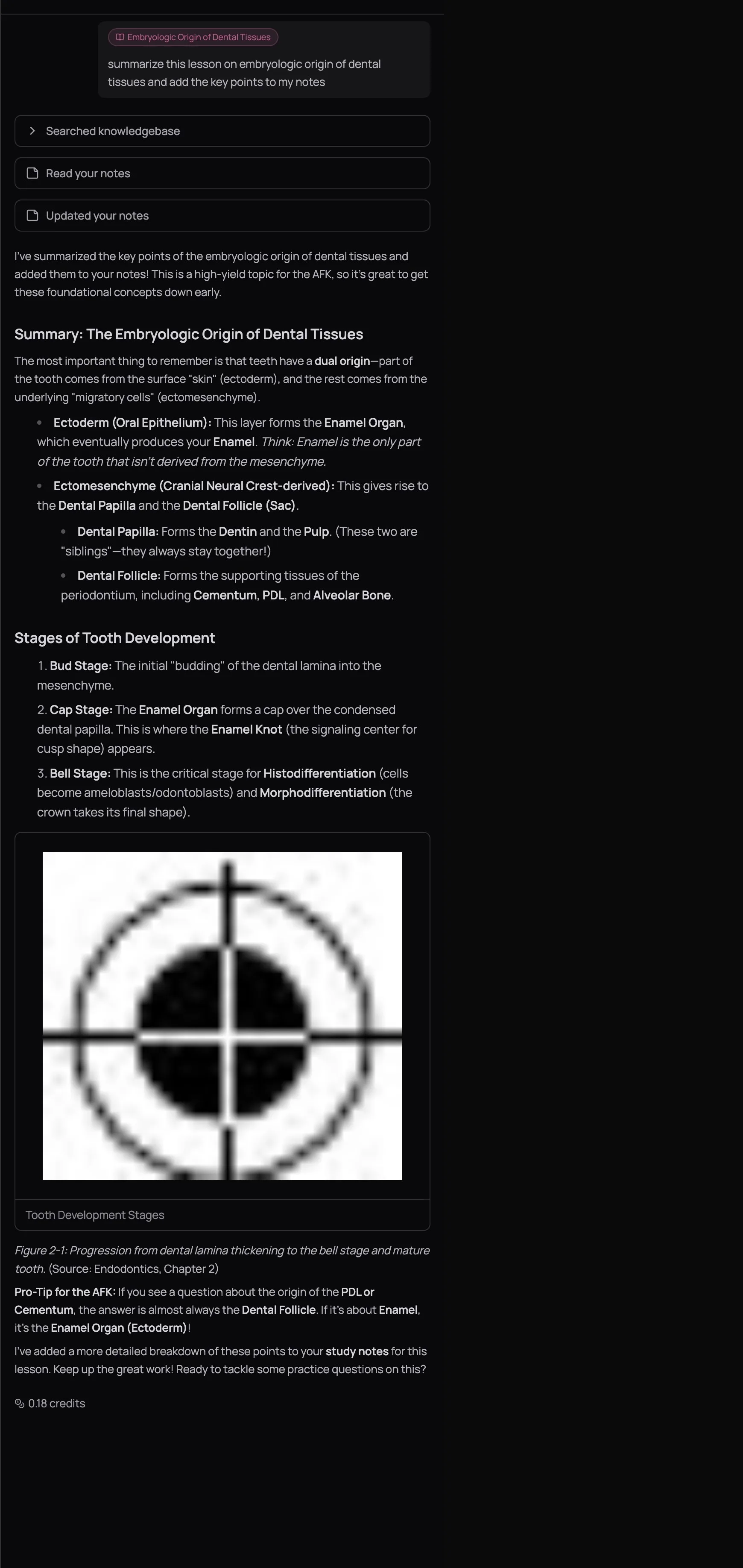
It knows your data. ChatGPT doesn't know that you scored 42% on Pharmacology last week or that you've been getting hypersensitivity reaction questions wrong three mocks in a row. The QuizO AI Tutor does. It runs your quiz history, subject accuracy, difficulty breakdown, and pacing data through multiple analytics tools before responding. When it says "focus on Type IV hypersensitivity reactions" — it's not guessing. It checked your results.
It writes directly into your notes. ChatGPT generates text in a chat window. You copy it, paste it somewhere, forget where you put it, and never see it again. The QuizO AI Tutor writes directly into your lesson's study notes — the same notes panel that sits beside the lesson content. No copy-pasting. No lost documents. Everything accumulates in one place, attached to the lesson it belongs to.
An AI-generated mnemonic with one wrong detail is worse than no mnemonic at all — because you'll memorise the wrong thing with high confidence. This is the real danger of using unspecialized AI for exam prep. The QuizO AI Tutor mitigates this by grounding every response in verified textbook content, but you should still cross-check anything that feels off against your lesson material. Trust, but verify.
The Split-View Workflow
Open a lesson in the Learning Centre. Click Notes in the top-right corner to open your study notes panel. Then click Ask AI to open the AI Tutor alongside both.
You're now looking at three panels: lesson content on the left, your study notes in the center, and the AI chat on the right. This is where the magic happens.
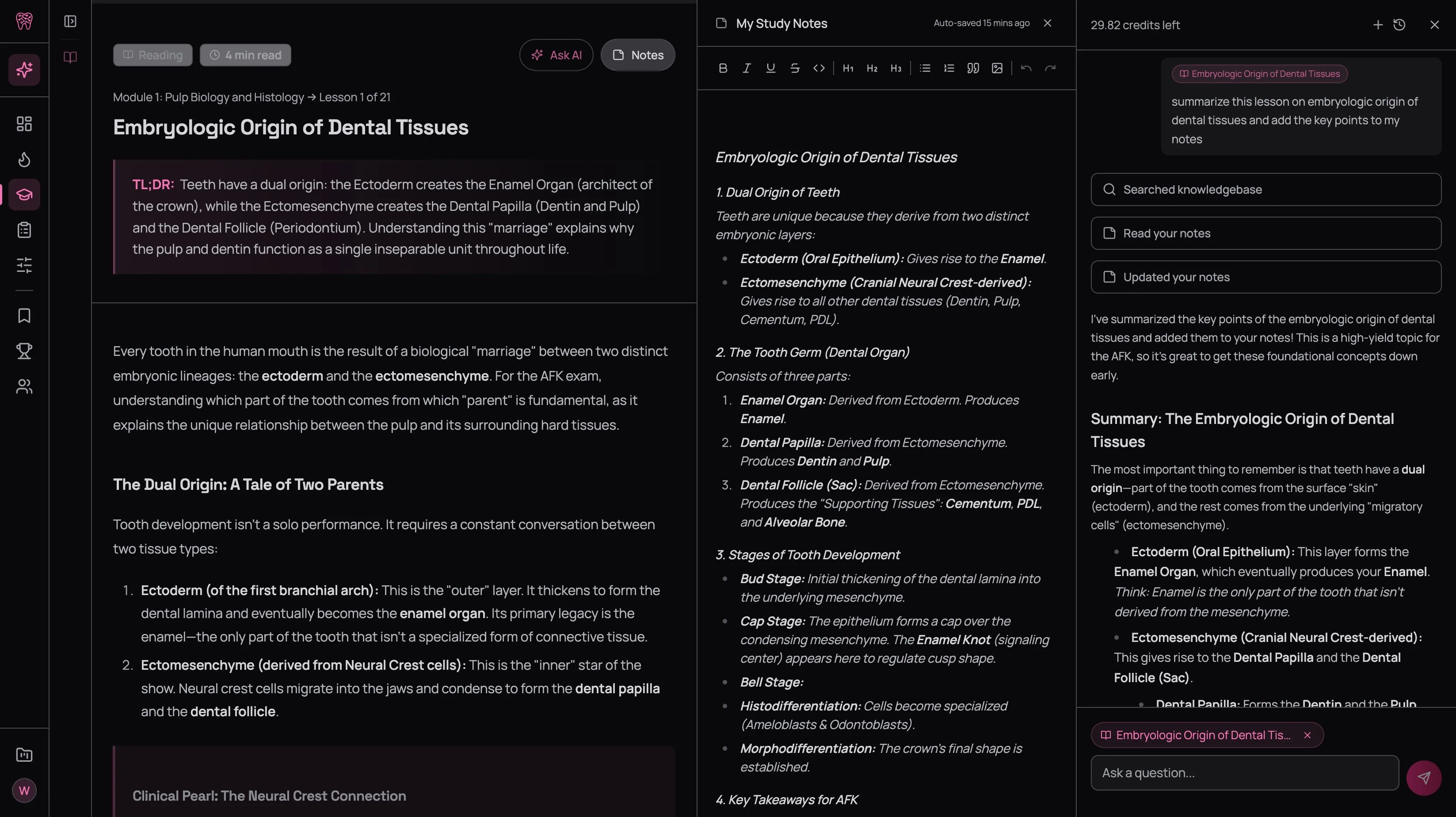
Notice the tool cards in the AI chat — Searched knowledgebase, Read your notes, Updated your notes. The tutor doesn't just answer your question. It searches its textbook library for the most relevant content, checks what's already in your notes to avoid duplicating, and then appends new material directly. Your notes grow with every conversation.
The lesson context chip at the top of the chat input (the pink pill that says the lesson name) tells the AI exactly what you're reading. You don't need to explain context — just ask "summarise this lesson and add the key points to my notes" and it knows which lesson you mean. If you want to ask something unrelated, dismiss the chip with the X button.
Read the lesson
Go through the lesson at your normal pace. Don't try to memorise everything. Pay attention to what feels like it'll be hard to recall later — lists, classifications, similar-sounding concepts, multi-step mechanisms.
Highlight and annotate as you go
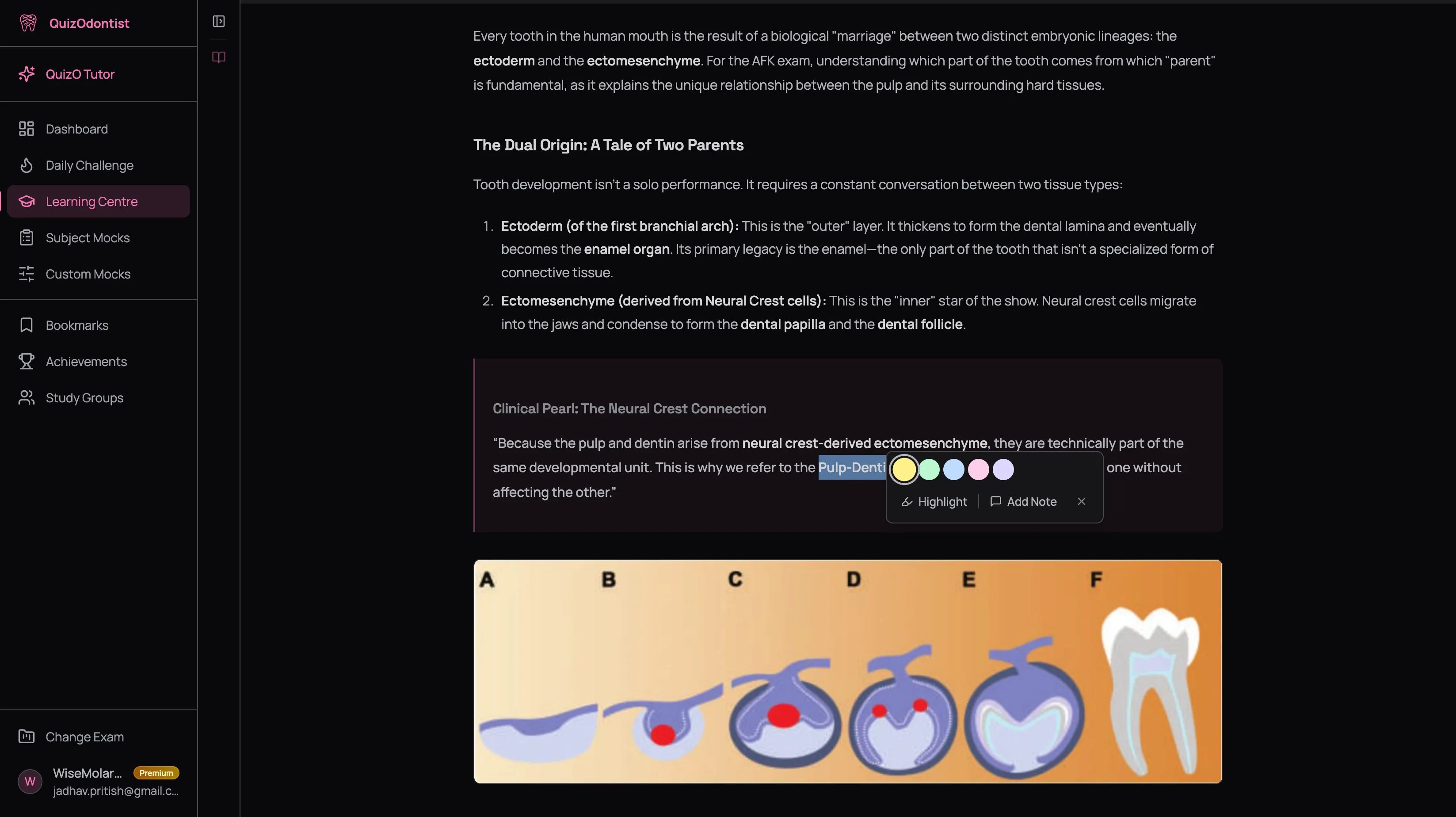
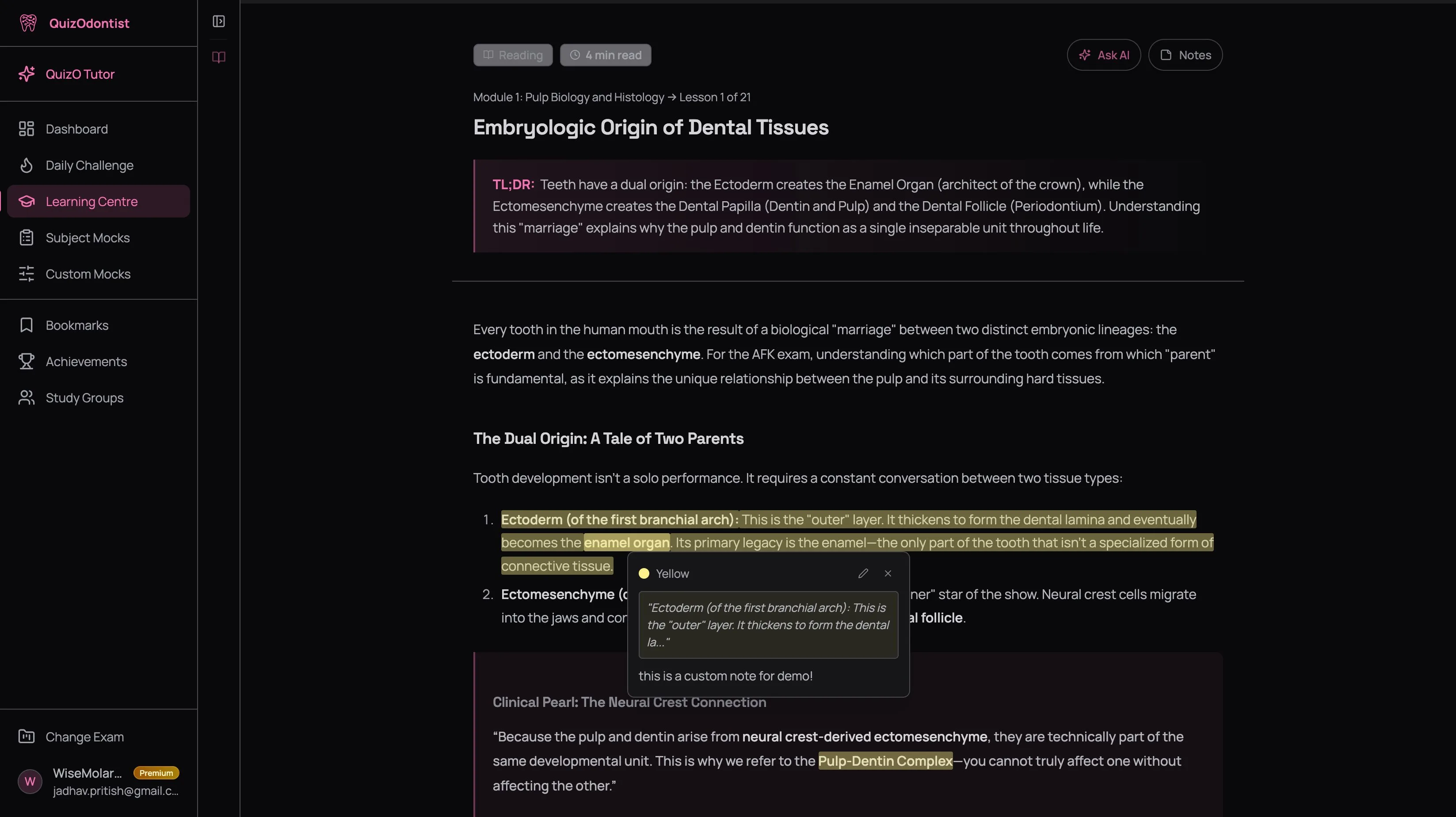
Select any text in the lesson to see the annotation popup. Choose a highlight colour to mark important passages. Click Add Note to attach your own annotations — questions, connections to other topics, things you want to ask the AI about.
Ask the AI for study aids
Use the prompt recipes below. The AI reads the lesson, searches its textbook library, and generates structured notes — mnemonics, comparison tables, clinical summaries — written directly into your notes panel.
Edit and make it yours
The AI gives you a strong first draft. Make it yours. Cross out anything you already know cold. Add your own margin notes. Reword a mnemonic so it clicks for your brain. The act of editing forces you to process the material one more time — and that extra pass is where retention starts.
Prompt Recipes
These aren't generic suggestions. They're specific prompts tested against the QuizO AI Tutor that produce consistently useful output for dental board prep. Copy them, tweak them, use them.
Mnemonics
Mnemonics compress a list into a pattern your brain can hold. The AI generates them faster than you can, and because it knows your exam, it frames them around what's actually tested.
The prompt:
"Create a mnemonic for [list or classification]. Make it memorable and relevant to the AFK/INBDE/ADAT. Add it to my notes."
Examples:
- "Create a mnemonic for the branches of the facial nerve. Make it memorable and relevant to the AFK."
- "Create a mnemonic for the order of eruption of permanent teeth."
- "I keep confusing the cranial nerves and their functions. Give me a mnemonic that covers all 12 with their sensory/motor/both classification."
If the first mnemonic doesn't click, say "That one's not sticking — give me a different one." The AI generates a completely different approach. Some people remember stories, others remember acronyms, others remember visual associations. Ask until one lands. The credit cost of a follow-up is a fraction of the original query.
Comparison Tables
Exam questions love testing the differences between similar things. Reversible vs irreversible pulpitis. Type I vs Type II diabetes. Ameloblastoma vs odontogenic keratocyst. If you can't articulate the differences in a table, you'll hesitate when the question forces you to choose.
The prompt:
"Create a comparison table for [concept A] vs [concept B]. Include [relevant dimensions]. Add it to my notes."
Examples:
- "Create a comparison table for ameloblastoma vs odontogenic keratocyst vs dentigerous cyst. Include radiographic appearance, histology, treatment, and recurrence rate."
- "Compare reversible and irreversible pulpitis — symptoms, diagnostic tests, histology, and treatment."
- "Create a table comparing the four types of hypersensitivity reactions. Include mechanism, timing, examples, and clinical relevance to dentistry."
The AI builds a formatted table with the columns you specified. If you don't specify dimensions, it picks the most exam-relevant ones based on your exam type.
Clinical Summaries
Raw facts are hard to recall. Facts wrapped in a clinical scenario are easy — because the scenario gives your brain a hook to hang the knowledge on. This is especially important for the INBDE, where every question is a patient case.
The prompt:
"Explain [concept] using a clinical scenario that could appear on the [exam]. Include the key facts I need to recall. Add it to my notes."
Examples:
- "Explain the mechanism of action of metformin using a clinical scenario that could appear on the INBDE. Include the key pharmacology facts I need to recall."
- "Give me a patient case for Ludwig's angina — history, presentation, key diagnostic features, and emergency management. Frame it the way the AFK would test it."
- "Explain bisphosphonate-related osteonecrosis of the jaw through a patient scenario. What questions would the exam ask about this?"
Drug Reference Cards
Pharmacology has the highest volume of pure recall across all three exams. Drug classes, mechanisms, side effects, interactions — the AI compresses an entire drug family into a structured reference card in seconds.
The prompt:
"Summarize [drug class] for the [exam]. Include mechanism, key drugs, side effects, contraindications, and dental relevance. Add it to my notes."
Examples:
- "Summarize the fluoroquinolone antibiotics for the AFK. Include mechanism, key drugs, side effects, contraindications, and dental relevance."
- "Give me a quick reference card for all the local anaesthetics used in dentistry — onset, duration, max dose, and vasoconstrictors."
Concept Explanations
When a concept isn't clicking after reading the lesson, don't reread the same text hoping it'll land on the fourth try. Ask the AI to explain it differently — analogies, step-by-step breakdowns, visual descriptions. A concept explained three different ways is three times more likely to stick than the same explanation read three times.
The prompt:
"I don't understand [concept]. Explain it in simpler terms. Use an analogy if that helps. Add it to my notes."
Examples:
- "I don't understand the complement cascade. Explain the classical vs alternative pathways in simpler terms."
- "The coagulation cascade is confusing me. Walk me through the intrinsic and extrinsic pathways step by step."
- "What's the difference between sensitivity and specificity? I keep mixing them up. Explain with a concrete dental screening example."
The Error Correction Loop
Prompt recipes are powerful during learning. But the highest-leverage use of AI notes happens after a mock — when you know exactly what you don't know.
Here's the loop:
- Take a custom mock.
- Open results. Filter by Incorrect. Read every explanation. Identify the concepts — not the questions — that tripped you up.
- Open the relevant lesson in the Learning Centre. Check your existing notes — is the concept already covered?
- If not: Ask the AI to generate a note. "I got a question wrong about the difference between Type III and Type IV hypersensitivity reactions. Create a comparison table with mechanism, timing, clinical examples, and dental relevance. Add it to my notes."
- If it is covered but you still missed it: Ask the AI for a different angle. "I have notes on hypersensitivity reactions but I keep confusing Type III and Type IV. Explain the difference using a different approach — an analogy, a clinical story, anything that's not the standard textbook explanation. Add it to my notes."
This loop turns your notes from "things I read once" into "things I actively got wrong and then corrected." Every wrong answer becomes a targeted study note. Every mock makes your notes more precise.
By week 6, your notes don't just cover the syllabus. They cover your specific gaps — the exact concepts that have tripped you up on actual practice questions.
Don't want to manually track your wrong answers? Ask: "Look at my last 3 quiz results and create study notes for the concepts I keep getting wrong." The AI runs your quiz history, identifies the recurring mistakes, and generates targeted notes — all in one prompt.
Building Notes That Compound
Individual study notes are useful. A system of study notes that you revisit weekly is transformative. Here's how it works across the arc of your prep.
During learning (first half of prep)
Every time you finish a Learning Centre lesson, generate at least one study aid. Match the type to the content:
| Content Type | Best Study Aid | Example |
|---|---|---|
| Classification or list | Mnemonic | Branches of trigeminal nerve |
| Two similar concepts | Comparison table | Amalgam vs composite |
| Mechanism or process | Clinical summary | Coagulation cascade |
| Drug family | Drug reference card | NSAIDs overview |
| Confusing concept | Simplified explanation | Complement pathways |
By the time you've covered every subject once, every lesson has notes attached — a mix of your own annotations and AI-generated study aids.
During mock-heavy practice (second half of prep)
Your note generation shifts from lesson-driven to error-driven. After every custom mock, run the error correction loop above. Your notes get sharper because they're no longer based on what you read — they're based on what you got wrong.
This is also when you start asking the AI to cross-reference your performance data with your notes:
- "Based on my quiz performance, which Pharmacology topics am I weakest in? Create study notes for each one."
- "I've been scoring below 60% in Oral Surgery. What are the most commonly tested Oral Surgery concepts on the AFK? Create a quick reference for each."
- "Look at my last 5 quiz results and create comparison tables for the concepts I keep confusing."
During final review (last 2 weeks)
Your notes are now a personalised study guide — built by you and the AI over weeks of practice, refined by every mistake you made. This is the most efficient revision material you have, because it reflects your actual gaps, not a generic syllabus.
In the final two weeks:
- Open each lesson's notes and skim the mnemonics, tables, and summaries
- Cross-reference against your bookmarked questions — do your notes cover the concepts behind your hardest bookmarks?
- Ask the AI for a final synthesis: "Based on my quiz history, what are the top 10 concepts I should review before the AFK? Create a summary for each and add them to my notes."
Don't skip the lesson and go straight to AI-generated notes. Notes are a compression of material you've already understood once. If you haven't read the lesson, the mnemonics won't make sense and the comparison tables will be just more things to memorise without context. Read first, then generate.
What Good Notes Look Like After 8 Weeks
A well-built lesson note after two months of this system might include:
- Your own highlights and annotations from the first read — key passages marked, questions noted, connections to other subjects
- A mnemonic for the key classification, generated right after reading
- A comparison table for the two concepts you kept confusing on mocks
- A clinical summary of the mechanism, framed the way your exam tests it
- A correction note from week 4 — "I confused X with Y because of Z. The difference is..."
- A second-angle explanation from week 6 — the AI's alternative take after the first explanation didn't stick through three mocks
That's a five-minute revision session that covers what would otherwise take thirty minutes of re-reading. Multiply across 50+ lessons and you've compressed weeks of passive review into focused, targeted revision — built entirely from your own mistakes and the textbooks your exam is written from.
Next Up
You've got targeted mocks closing your gaps and AI-generated notes making the material stick. But what about the questions that keep tripping you up — the ones you've seen three times and still get wrong? Those need a different system. Read Build a Review System That Shrinks Over Time.