Pop quizzes don't count. That's by design — they're learning tools, not measurements. But at some point you need to know: do I actually know this material, or am I just familiar with it?
That's what the Practice Hub is for. Hundreds of subject-wise quizzes, scored, tracked on your Dashboard, and formatted exactly like your exam. This is where studying turns into proof.
The Practice Hub
Open Subject Mocks from the sidebar and you land in the Practice Hub — every subject-wise quiz for your exam, browsable and filterable. No buried menus. No hidden pages. Just quizzes, laid out in front of you.
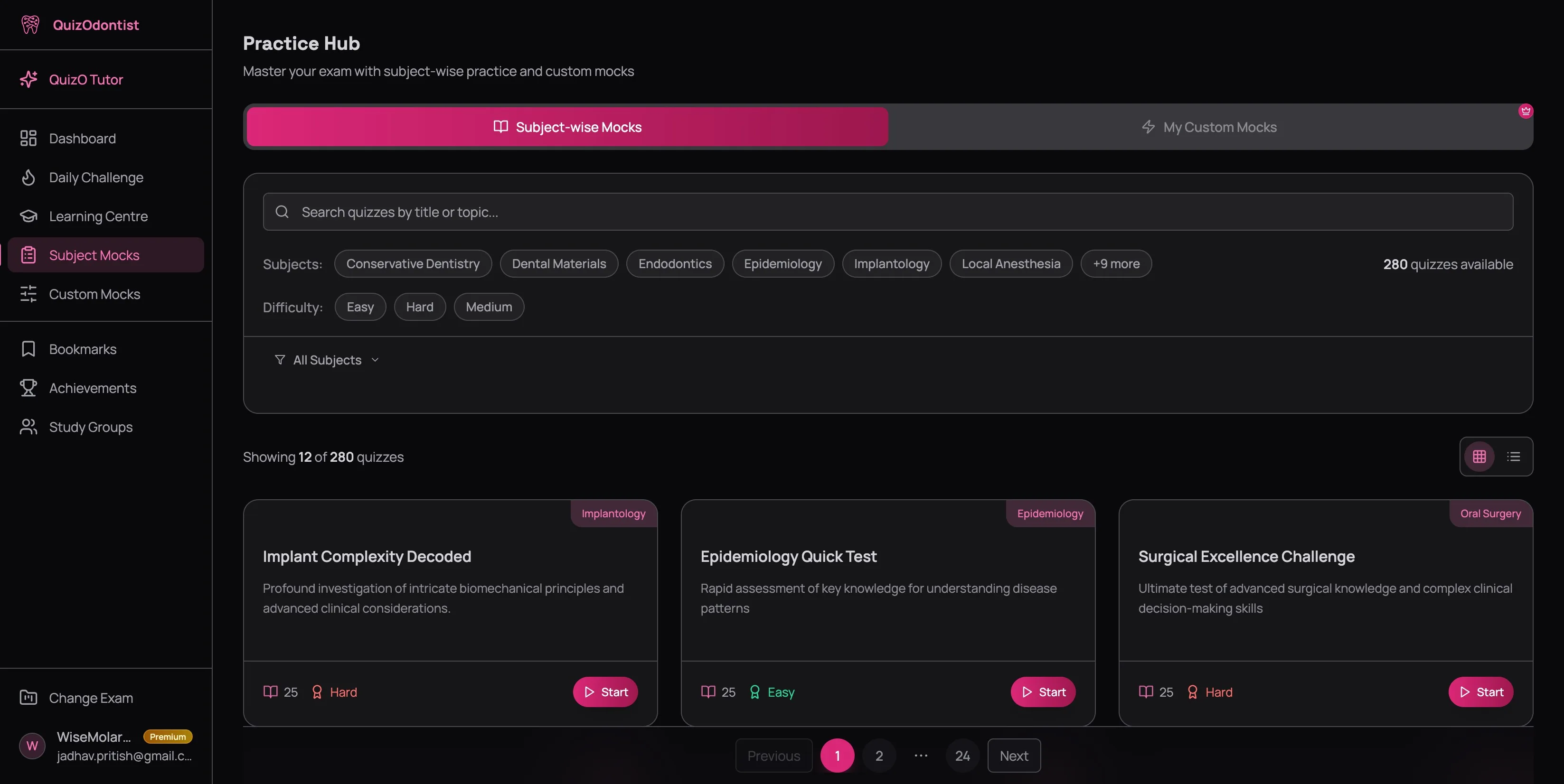
Each quiz card tells you what matters at a glance:
- Subject badge — color-coded, top right. Endodontics, Oral Pathology, Dental Materials — you see what you're getting before you click.
- Title and description — what the quiz covers and at what level
- Question count — 25 questions per quiz, enough for a focused session
- Difficulty — Easy, Medium, or Hard
- Your best score — once you've attempted a quiz, your highest score appears on the card. A quiz sitting at 60% is a gap you haven't closed yet. A quiz you've never attempted is a blind spot you don't even know about.
You can toggle between Grid and List view using the switcher in the top right. Grid gives you visual cards. List gives you a compact table when you want to scan more quizzes without scrolling.
Filtering: Find What You Need
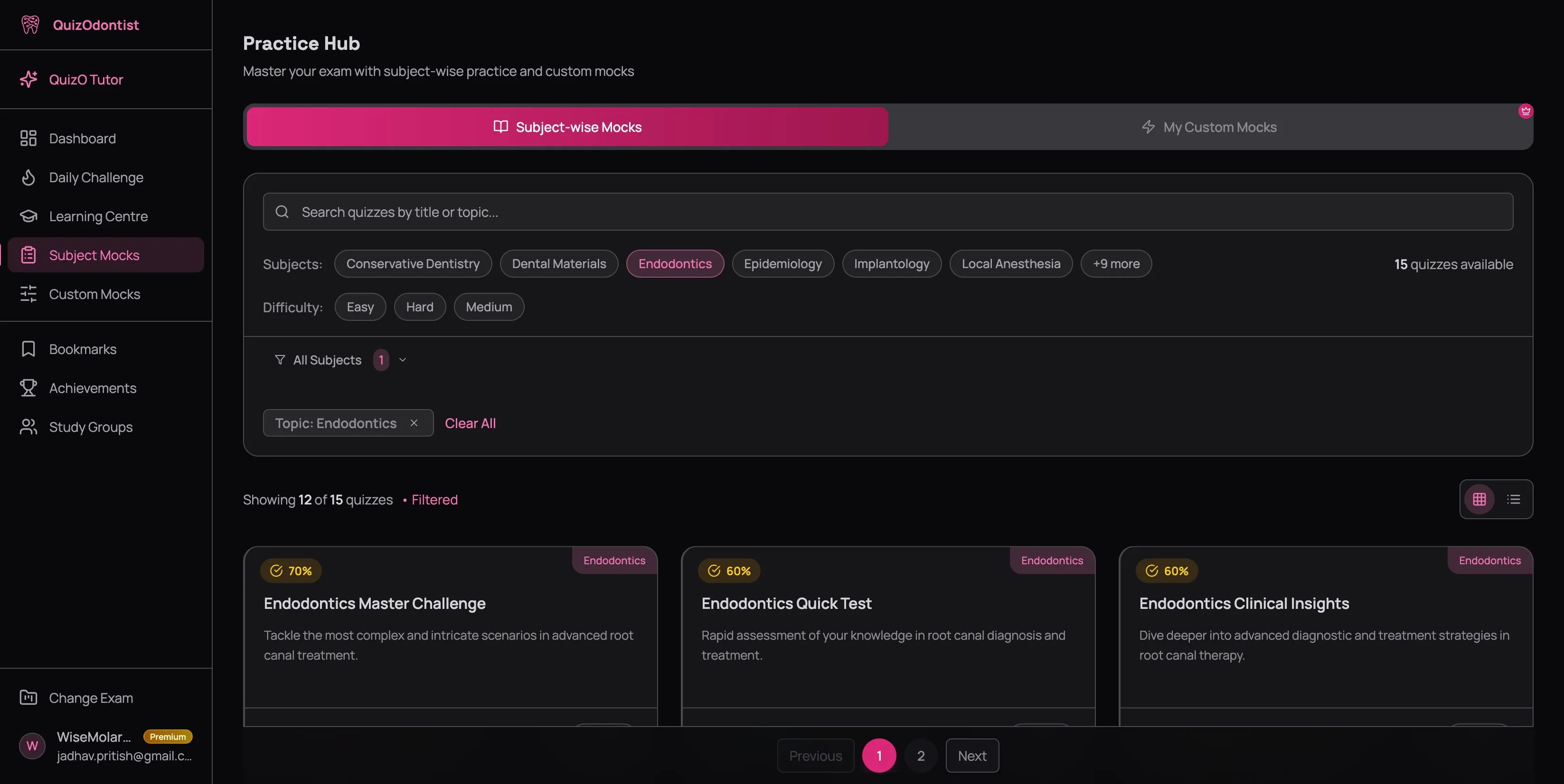
The filter bar is your primary weapon. Search bar at the top, subject chips below it, difficulty buttons underneath, and an active filter chip that confirms what you've selected. Everything updates instantly — no page reloads, no waiting.
By Subject
Click a subject chip — or hit +9 more to expand the full list — and the quiz library narrows to that subject instantly. A filter chip appears below confirming your selection, and the count updates to show how many quizzes match.
This is where the dashboard analytics pay off. If your Subject Analytics tab shows Oral Pathology at 54% and Periodontics at 81%, don't split your time evenly. Filter to Oral Pathology. That's where the points are hiding.
Resist the urge to practice everything at once. That's just random practice with extra steps. Pick your weakest subject, drill it until the scores move, then pick the next one. Focused reps beat scattered reps every time — that's the difference between studying smart and studying hard.
By Difficulty
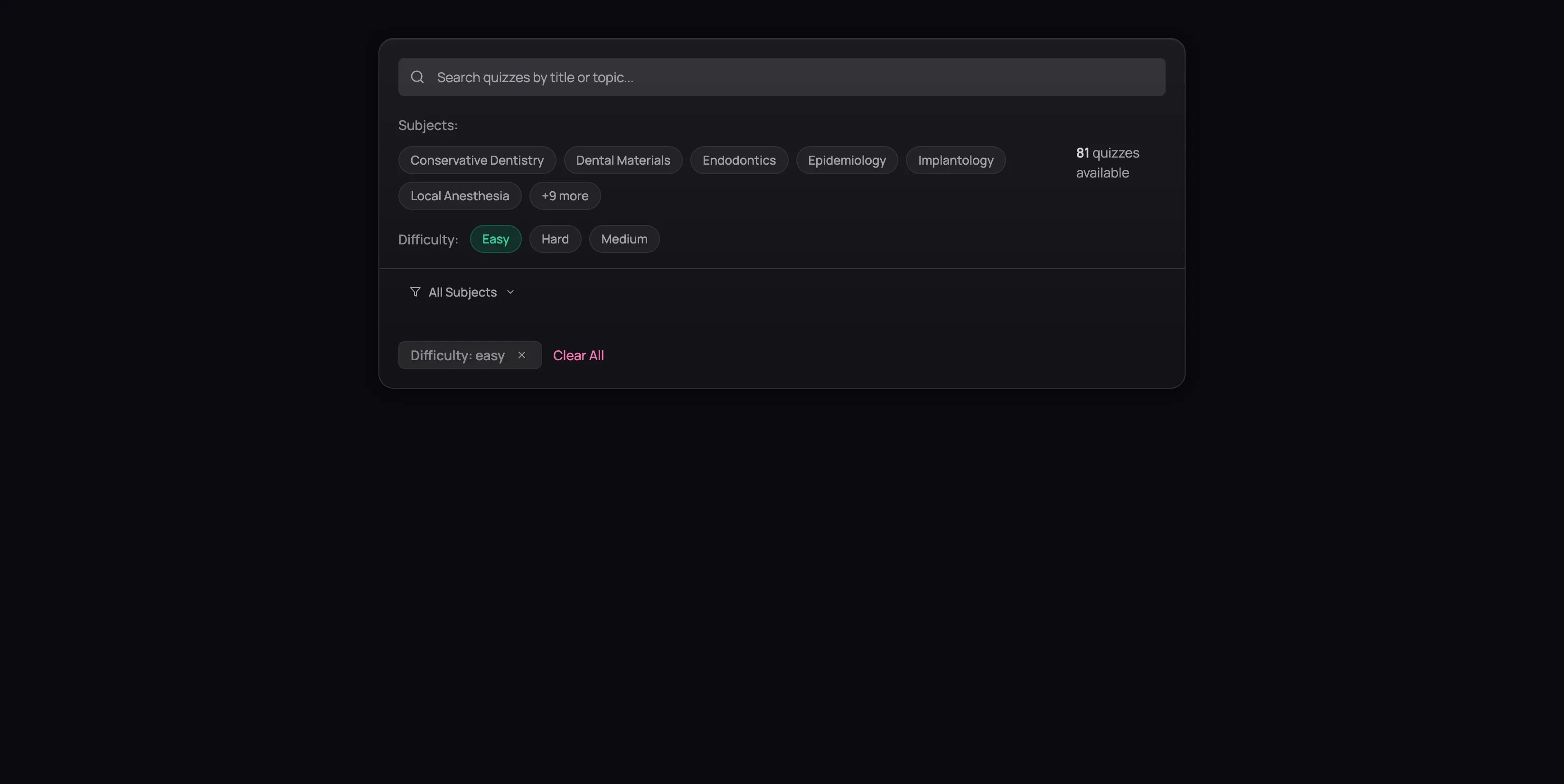
Three options: Easy, Medium, and Hard. You can combine difficulty filters with subject filters — "Easy Dental Materials" or "Hard Endodontics" — to dial in exactly the practice you need.
Here's something most people get wrong: they jump straight to Hard because they've been practicing dentistry for years and Easy feels insulting. Then they score 55% and blame the questions. Don't skip Easy — it's a diagnostic. If you can't score 85%+ on Easy questions in a subject, you have foundational gaps that Medium and Hard questions will only make worse. Start where you actually are, not where you want to be.
By Search
Know what you're looking for? Type a keyword — "endo," "perio," "radiology," "anesthesia" — into the search bar and the list narrows as you type. Useful when you've done a quiz before and want to find it again.
Subject Mocks vs. Custom Mocks
The Practice Hub has two tabs at the top: Subject-wise Mocks and My Custom Mocks.
Subject-wise Mocks are pre-built quizzes organized by subject and difficulty. They're ready to go — pick one and start.
Custom Mocks are exams you build yourself — choosing the subjects, the number of questions, and the difficulty mix. They're covered in detail in the Custom Mock Builder tutorial. If you want full control over what you're tested on, that's the tool.
For now, Subject Mocks are where most of your daily practice should happen. They're structured, focused, and designed to match your exam's format.
The Strategy That Works
Here's the approach that separates candidates who improve from candidates who spin their wheels:
Check your dashboard first
Your dashboard shows exactly which subjects are dragging your average down. Don't guess — look at the data. (New to the platform? Start with your least confident subject and take an Easy quiz. After a few attempts, the analytics will have enough data to guide you.)
Filter to your weakest subject
Open the Practice Hub. Click that subject. Ignore everything else for now.
Start on Easy
Yes, really. If you're weak in a subject, confirm your foundations before tackling application questions. Score 85%+ on Easy before moving up.
Progress through difficulty levels
Easy tests recognition. Medium tests application. Hard tests synthesis — connecting facts across topics under pressure. You need all three for the AFK, INBDE, or ADAT. Work your way up.
Check the dashboard again
After a few quizzes, go back to Subject Analytics. Did the percentage move? If yes, pick the next weakest subject. If no, you need more reps — or you need to go back to the Learning Centre and re-read the lessons.
Every quiz you take — even a bad one — updates your Dashboard metrics. A 50% score isn't wasted time. It's data. It tells you exactly which concepts to revisit before your next attempt. The candidates who actually pass these exams aren't the ones who avoided bad scores — they're the ones who used them.
Next Up
Found a quiz? Before you dive in, learn how the quiz interface works — including the two-pass strategy that saves marks — in Taking a Quiz.
After you finish, don't just glance at your score. The results page is where the real learning happens. Read Understanding Your Results to see why.