Until now, dental exam prep has been a solo sport. You study alone, take a quiz, stare at a score, and try to figure out what went wrong. Nobody tells you what to study next, or why you keep getting Pharmacology questions wrong, or whether your pacing is the problem, not your knowledge.
The QuizO AI Tutor changes the game. It has access to over 20 dental textbooks, your quiz scores, subject accuracy, pacing data, and score trends. When a concept is better shown than described, it pulls in the diagram — cited, sourced, exam-relevant. And when you ask "where should I focus?", it doesn't guess. It runs multiple analytics tools on your data and builds you a plan in ten seconds.
This is the first AI tutor built specifically for dental board prep. No other platform has it. And once you use it, you'll wonder how anyone studies without it.
Where to Find It
Click QuizO Tutor at the top of the sidebar. A panel slides in from the right side of your screen. It's available on every page — dashboard, Learning Centre, quiz results, everywhere — and deliberately disabled during active quizzes.
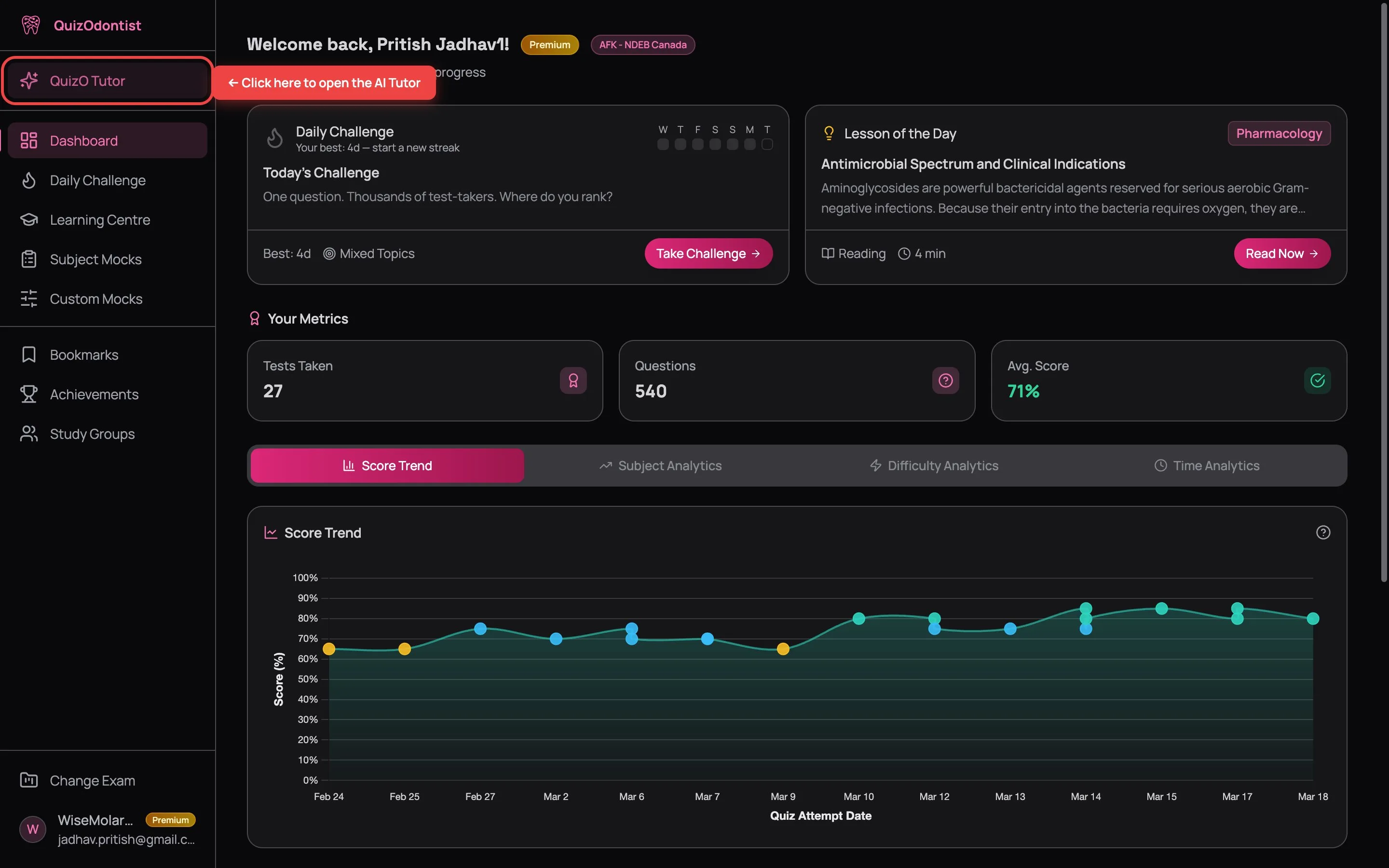
When you open the tutor for the first time in a session, four starter prompts appear:
- My performance — "How have I been doing on my quizzes this month?"
- Weak areas — "What topics should I focus on to improve my scores?"
- Concept help — "Explain the difference between ameloblastoma and odontogenic keratocyst"
- Quick review — "What are the key features of periapical granuloma vs periapical cyst?"
Click any of them or type your own question. Every conversation is saved — click the history button (clock icon) at the top of the panel to browse past conversations anytime.
It Teaches Visually
Ask about tooth development and the tutor doesn't just describe it — it pulls in the diagram with a full citation. Histological structures, anatomical landmarks, drug mechanism flowcharts — if it's better shown than described, you get the figure.
As it works, compact cards appear in the chat showing what it searched, what it read, and what it updated. You watch it think before it responds.
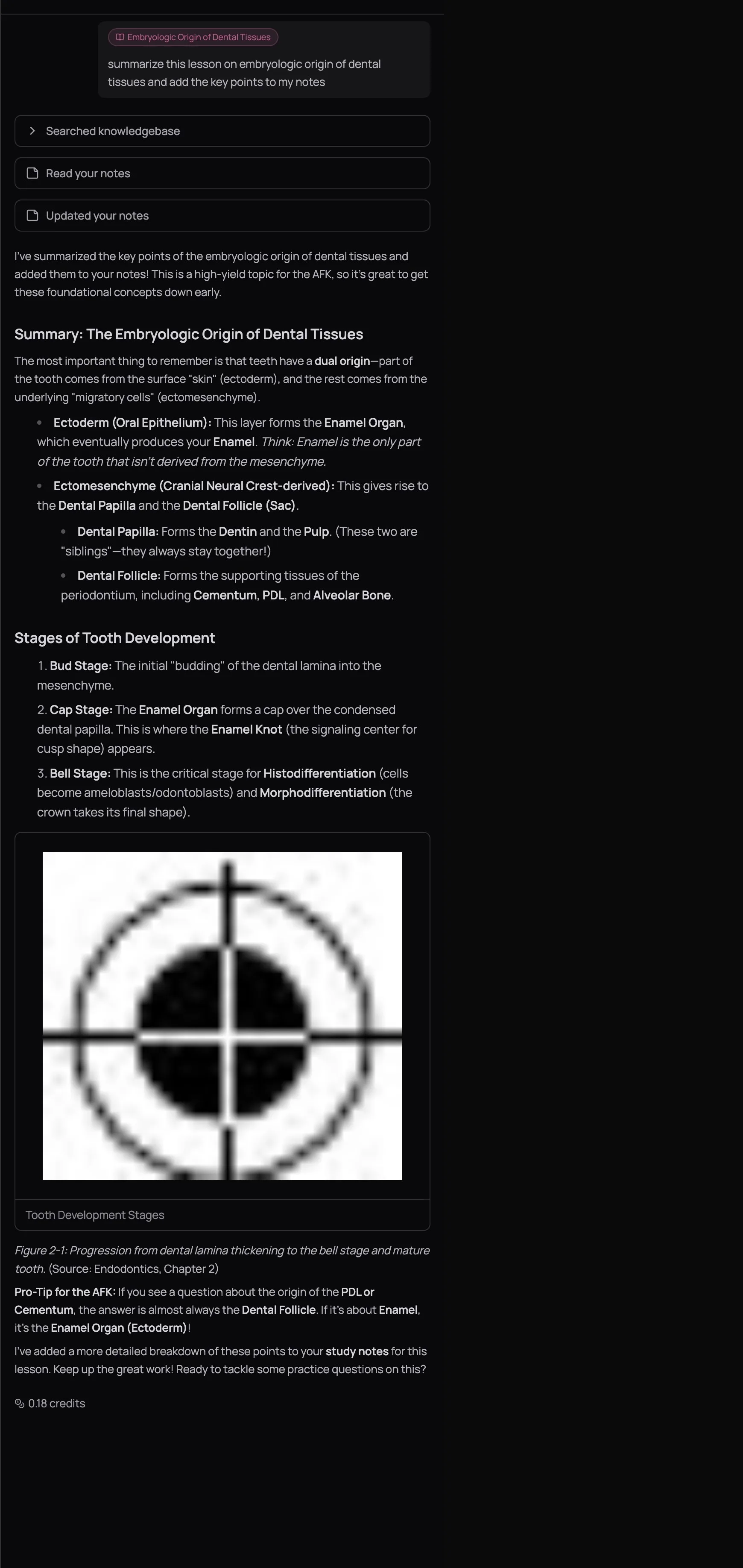
Notice the Pro-Tip at the bottom — tailored to the specific exam you're preparing for. The tutor doesn't just explain concepts. It tells you how they'll show up on test day.
It Analyzes Your Actual Performance
Ask "What are my weakest subjects?" and the tutor fires multiple analytics tools simultaneously — subject performance, difficulty breakdown, time analytics — pulling your actual quiz data from the dashboard.
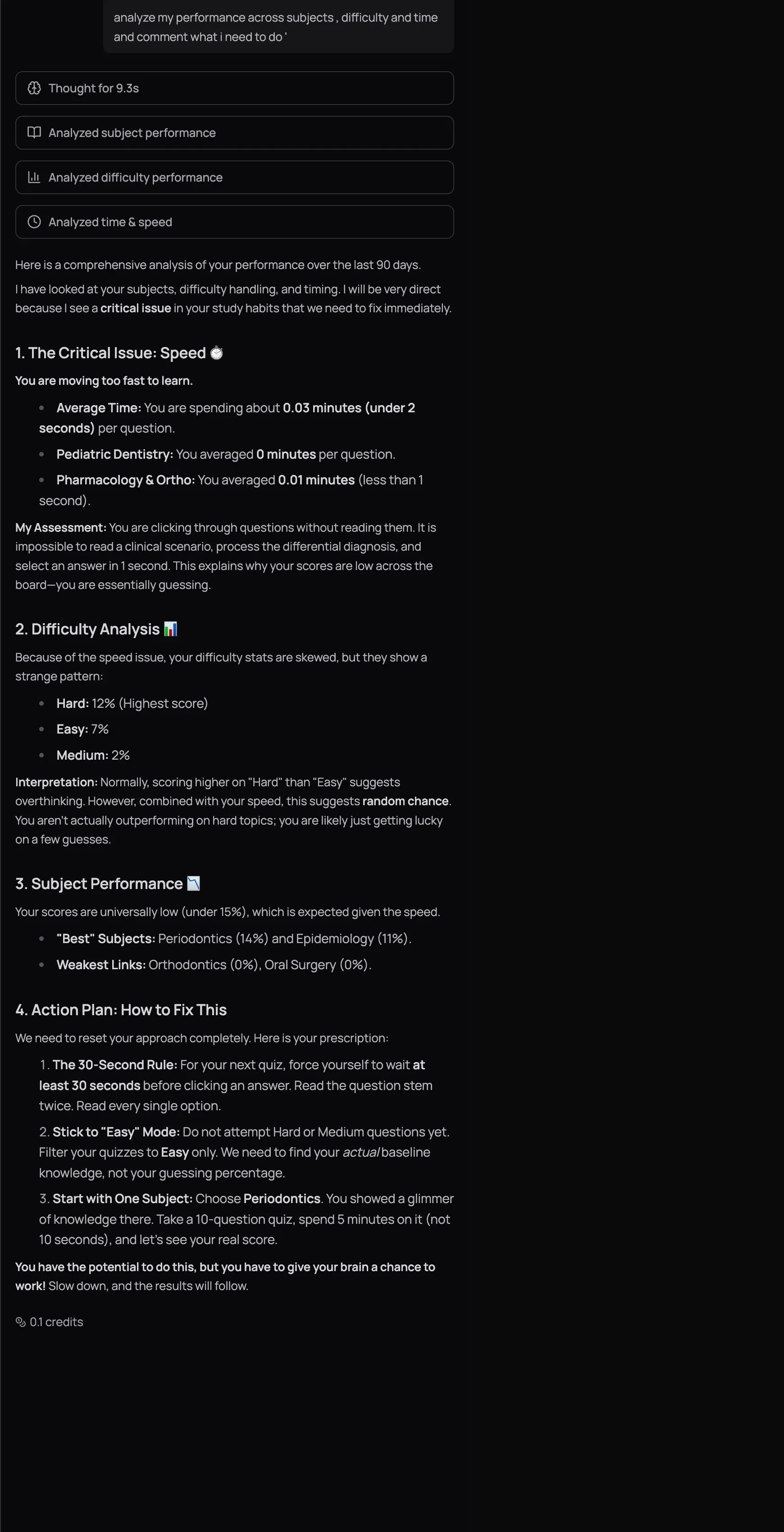
It catches patterns you'd miss staring at charts — like scoring better on Hard questions than Medium ones (a telltale sign of random guessing on easier material). It flags pacing issues. It identifies which subjects are genuinely improving versus which are stuck.
And then it gives you a plan. Not "study more." A specific plan: which subject to start with, what difficulty level, how many questions, how much time per question, and what to do after the quiz. Data-driven coaching that adapts to your performance — not a one-size-fits-all study schedule.
Ask "What should my next custom mock look like?" The tutor will suggest specific subjects, weightages, and difficulty levels for your next Custom Mock based on your data.
What Else It Can Do
- Study notes — ask about a lesson and the tutor builds on your existing notes instead of starting from scratch. They accumulate over time — by exam week, you have a personalized revision sheet you didn't have to write.
- Lesson context — open the tutor while reading a lesson and it automatically knows what you're studying. Ask "Explain the Enamel Knot in simpler terms" without explaining where you are. A context chip appears above the input — dismiss it with X if you want to ask something unrelated.
- Web search — exam registration deadlines, current clinical guidelines, recent research — anything outside the textbooks, the tutor finds it.
How to Ask Good Questions
The quality of your question determines the quality of the response and how efficiently you spend credits. A vague question burns credits on a vague answer you'll need three follow-ups to fix. A specific question lands on the first try.
Less useful:
- "Help me with pharmacology"
- "I need to study"
More useful:
- "What are my weakest subjects right now?"
- "Explain the mechanism of action of metronidazole and why it's specifically effective against anaerobes"
- "I scored 55% on my last Oral Pathology quiz — what concepts should I review?"
- "Summarize this lesson and add the key points to my notes"
- "I have 2 hours to study today — what should I focus on?"
The tutor is a conversation partner, not a search engine. If an explanation uses terminology you don't know, say so. If an analogy doesn't land, ask for a different one. If the answer feels surface-level, say "go deeper." The best conversations are 4–5 messages long. Each follow-up narrows the gap.
Next Up
Every response costs credits — simple questions cost a fraction, complex analytics queries cost more. Learn how the system works, what your plan includes, and how to make every credit count in AI Credits Explained.
Want to see your progress visually? Your dashboard shows the same data the tutor analyzes — score trends, subject breakdowns, difficulty analytics — in a format you can scan at a glance.