You finished a quiz. A number appears at the top of the screen. Most people glance at it, feel good or bad for a few seconds, and close the tab.
That number is the least useful thing on the page.
The results page is where the real studying happens — not the quiz itself. The quiz is a diagnostic. It identifies what you don't know. The results page is where you actually learn it. If you spend 30 minutes taking a quiz and 2 minutes reviewing results, you've got the ratio backwards.
The Score Summary
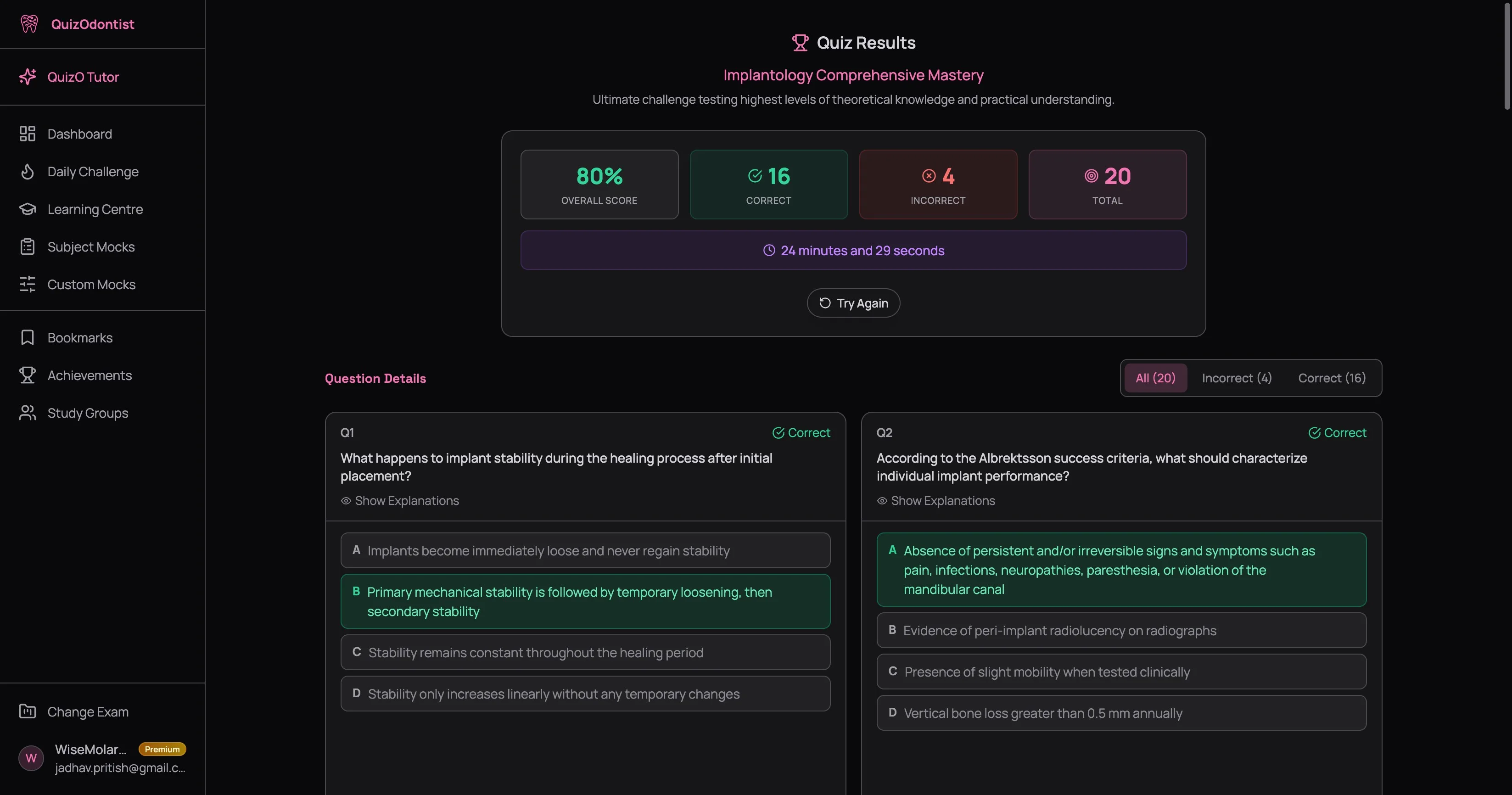
At the top you get the overview:
- Overall score — your percentage, color-coded green (80%+), amber (60–79%), or red (below 60%)
- Correct and incorrect counts — how many you got right and wrong
- Total questions — the full count
- Time taken — how long you spent on the quiz
- Try Again — one click to retake the same quiz
Note what's missing: there's no timer on the results page. No "you have 5 minutes to review." No expiration. Your results are available forever — from the moment you submit until the day you pass your exam. Come back tomorrow. Come back next month. The explanations will still be there.
Question Details: Where the Learning Happens
Below the summary, every question from the quiz appears with its full breakdown. Not just "the answer is B." Every option — A, B, C, and D — gets its own explanation.
This is not a formatting choice. It's the most important feature on the platform.
Why Every Option Gets an Explanation
The AFK, INBDE, and ADAT are notorious for having plausible distractors. These aren't random wrong answers thrown in to pad the question. They're carefully designed to catch specific misconceptions. Option A might represent a common confusion between two similar conditions. Option C might be what you'd choose if you forgot one detail about a drug's mechanism. Option D might be correct for a different clinical scenario entirely.
One wrong assumption. One small gap in your knowledge. That's all it takes to lose the point — not because you were clueless, but because the wrong answer looked right.
When you only read "B is correct because...," you learn one fact. When you read why A, C, and D are wrong, you learn three additional facts — and more importantly, you learn the boundaries of the correct concept. You learn where similar-looking answers diverge. You learn the traps.
On dental board exams, wrong answers aren't filler. They're the most common mistakes real candidates make. Understanding why each distractor is wrong teaches you more about the exam than understanding why the right answer is right. Every wrong option you dismiss with confidence on exam day is one you studied on the results page.
Filtering by Status
Three tabs sit above the question cards: All, Incorrect, and Correct. If you left any questions unanswered, a fourth tab — Skipped — appears.
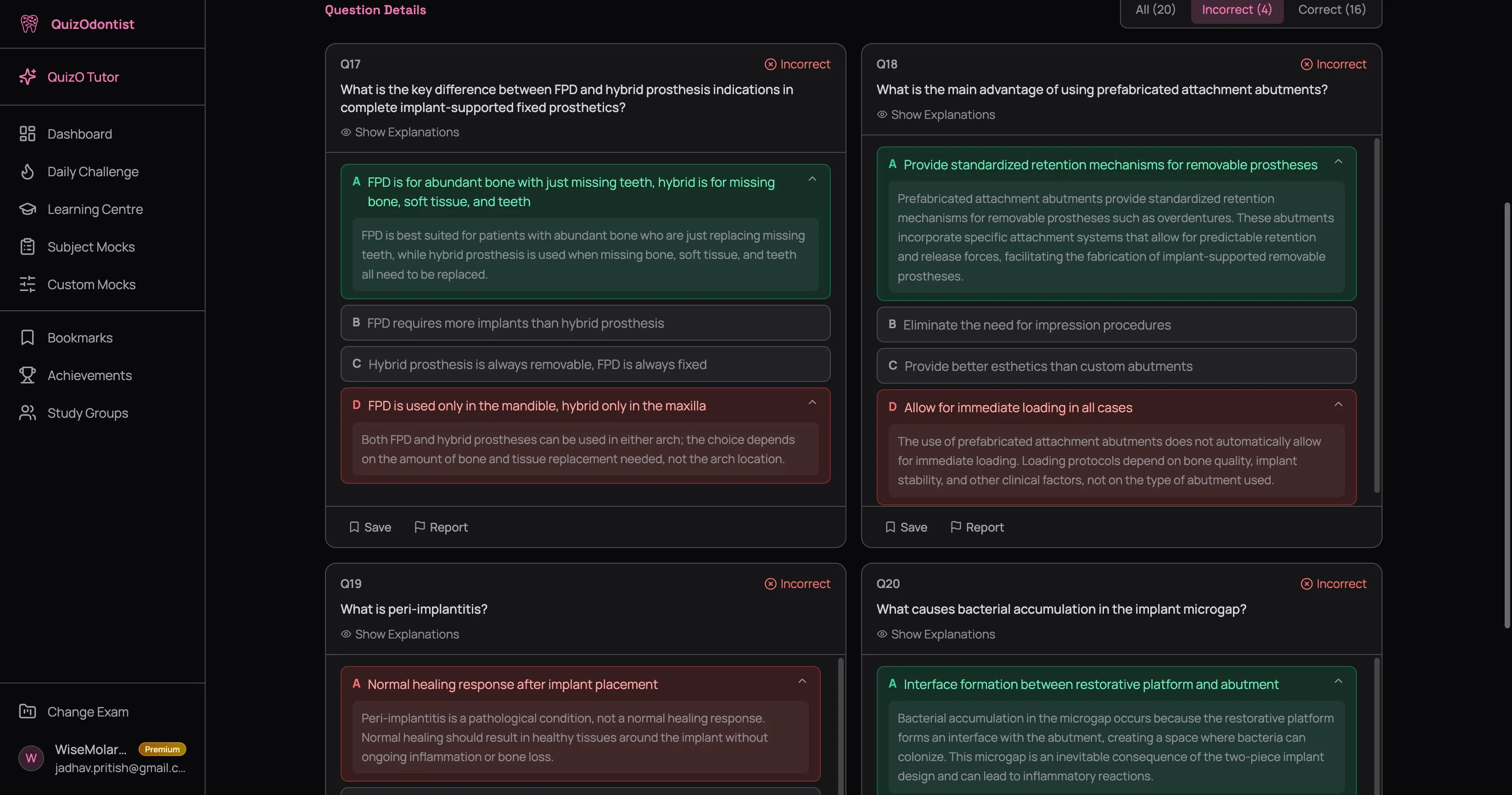
When you filter to Incorrect, something smart happens: for each question, the correct answer's explanation and your wrong answer's explanation both auto-expand. You immediately see what you should have picked and why your choice was wrong — no clicking required.
For Correct questions, all explanations start collapsed. This is deliberate — you got it right, so the default assumption is you know the material. But click Show Explanations anyway. More on that in a moment.
How to Read Your Results
Most people open results, check the score, skim the questions they got wrong, and leave. Here's the approach that actually builds knowledge:
Start with the Incorrect tab
These are your highest-value learning moments. For each wrong answer, both explanations are already expanded — read them carefully. Ask yourself: what did I misunderstand? Was it a knowledge gap (you didn't know the material) or a reasoning error (you knew the material but applied it wrong)?
Then read the other two options' explanations too. Click to expand them. The distractor you didn't pick might reveal a misconception you didn't know you had.
Review your correct answers — seriously
This is the step everyone skips. Go to the Correct tab, click Show Explanations, and ask: was I right for the right reason?
If you chose B because it "sounded familiar" but can't explain the mechanism, you got lucky. Lucky correct answers become wrong answers on the real exam when the question is phrased slightly differently. The results page is your chance to turn a guess into actual knowledge — while the context is fresh.
Save what tripped you up
See the Save button at the bottom of each question card? That's a bookmark. Questions you save land in your Bookmarks — a single collection of every question you flagged across every quiz. Before the exam, instead of re-taking 50 quizzes, you review your 30 saved questions. That's not cutting corners — that's precision.
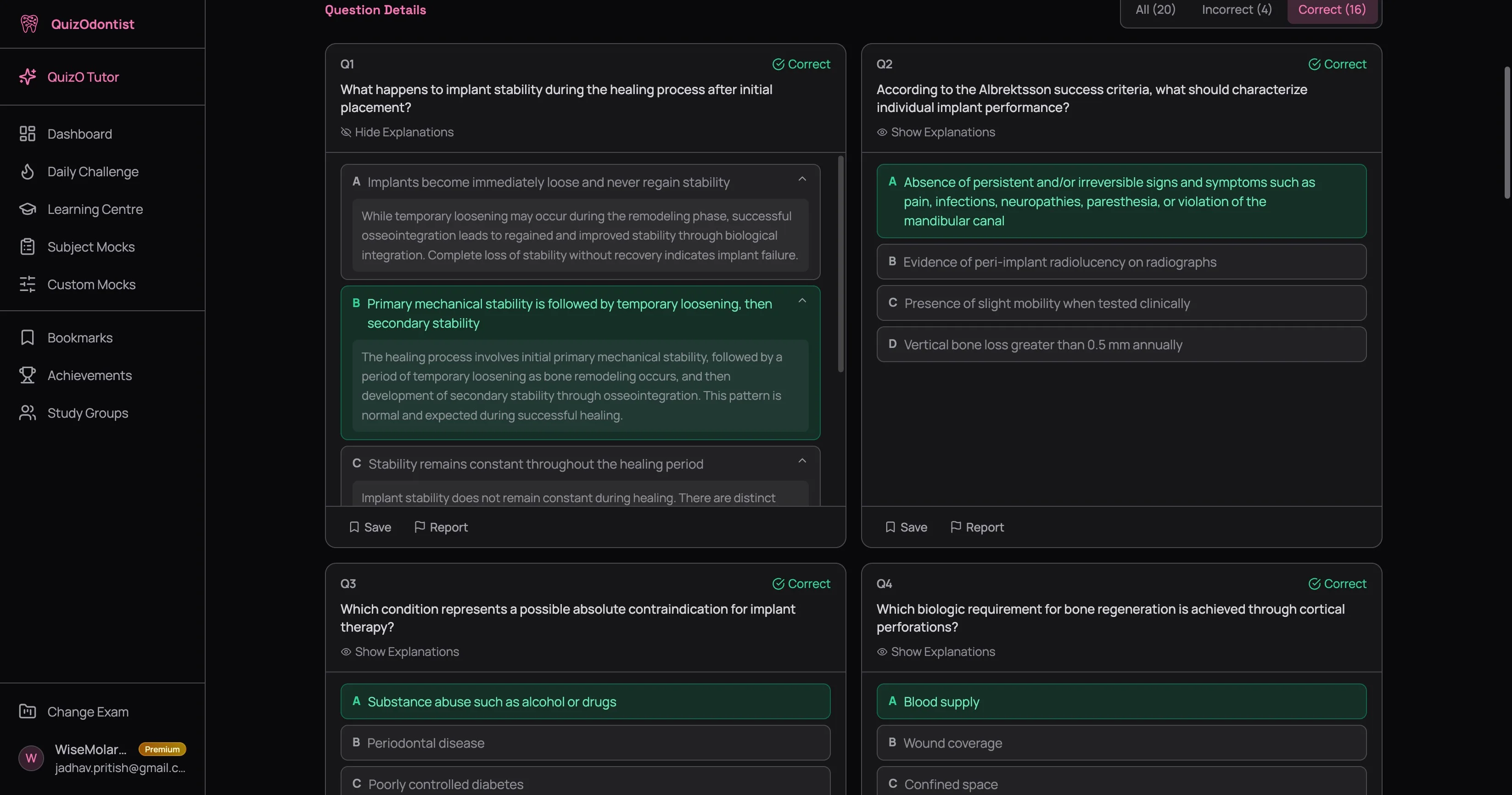
Yes, every question. Even the ones you got right. Even the ones that felt easy. The explanations often contain nuance the original reading didn't emphasize — drug interactions you hadn't considered, clinical presentations that overlap, anatomical variations that change the answer. Five minutes of explanation reading is worth more than re-reading the textbook chapter.
Reattempting Quizzes
There's no cap on attempts. Take a quiz once, take it ten times — every attempt is tracked and every attempt updates your dashboard analytics.
Click Try Again in the score summary to retake the same quiz immediately. Or find it later in your dashboard's History table and hit the reattempt icon.
A score that jumps from 60% to 90% on the second attempt is progress — but be honest with yourself. Did you learn the concepts, or did you memorize which letter to pick? The real test is whether your accuracy improves on different quizzes covering the same subject. If your Endodontics scores are climbing across multiple quizzes, you're learning. If only one quiz improved, you might just be recognizing questions.
Each quiz attempt — first or fifth — updates your dashboard. Your subject accuracy, score trend, and difficulty breakdown all reflect your current level, not where you were three weeks ago. A bad score isn't permanent damage — it's data that gets overwritten as you improve.
Your History Is Always There
Every quiz you've ever taken lives in the History section of your dashboard. Each row shows the quiz title, subject, result, score, and date — sortable by any column.
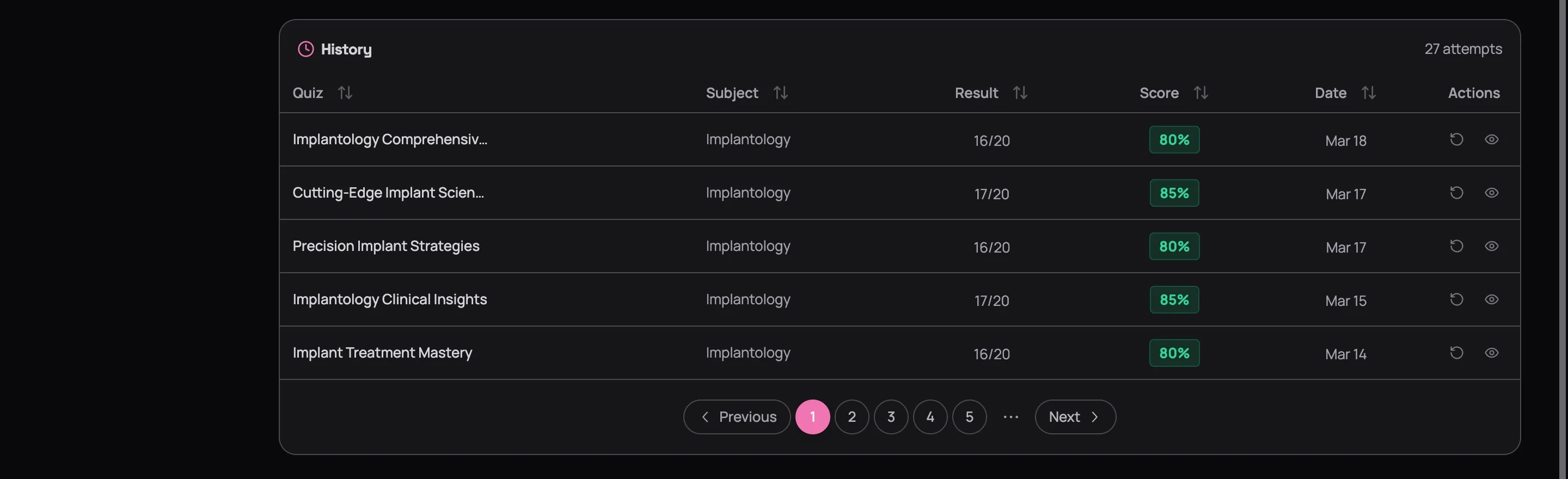
Two actions on every row:
- View details (eye icon) — opens the full results page with all explanations, exactly as it looked the day you submitted
- Reattempt (retry icon) — starts the quiz fresh
There's no expiration. A quiz you took three months ago still has its full results available — every question, every explanation, every option. This matters because you'll understand those explanations differently after two more months of studying. Concepts that confused you in February click in April. Go back and re-read them.
What the Score Doesn't Tell You
A 75% on an Easy quiz and a 75% on a Hard quiz are not the same achievement. A 60% on Hard questions might represent stronger understanding than an 80% on Easy ones. Don't obsess over hitting a specific number — obsess over understanding why you got each question wrong.
The score takes care of itself when the understanding is there. And the understanding comes from the results page — not the quiz.
Next Up
Your quiz results are snapshots — one quiz, one moment. Your dashboard is the full picture: score trends over time, subject-by-subject accuracy, difficulty breakdowns. Learn how all your data comes together in Reading Your Dashboard.
Want to go deeper on concepts you missed? Head back to the Learning Centre and find the exact lesson that covers what you got wrong.